Skip to content
GST & Compliance10 min readPublished 2026-09-18

Surviving the 30-Day IRP Upload Rule: Operational Strategies for MSMEs

Navigate the mandatory 30-day time limit for uploading e-invoices to the IRP. Learn how to prevent blocked IRN generation and delayed customer credit claims.

AK

Abhishek Kumar

Senior Finance & ERP Systems Architect, Werkora

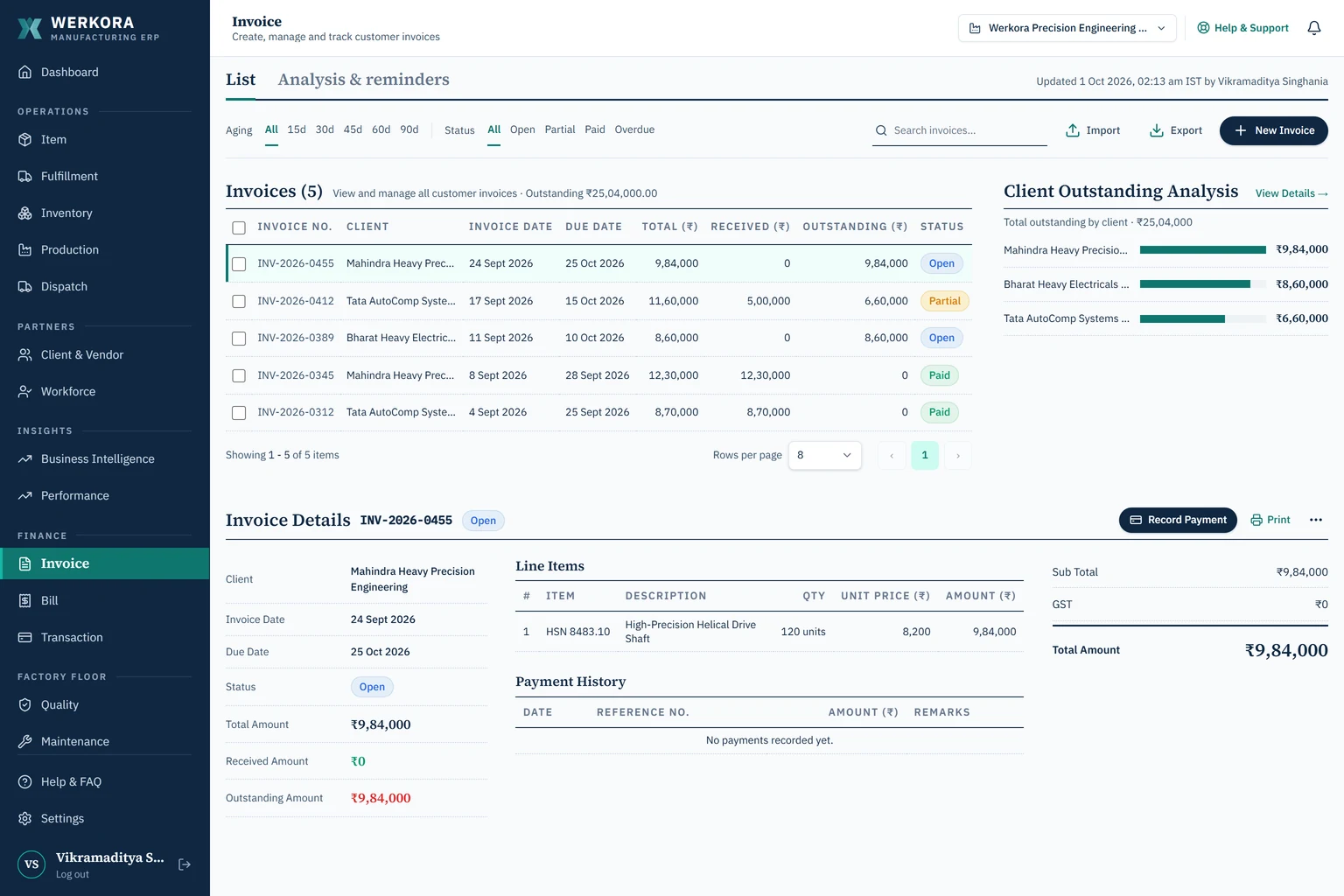
Werkora invoice module — GST e-invoicing and IRN status
AEO Quick Answer & Key Takeaway

Under the time-restriction rules enforced on the Invoice Registration Portal (IRP), businesses above ₹10 crore turnover must upload invoices to the portal within 30 days of the invoice document date. Invoices older than 30 days are permanently rejected by the IRP, making it impossible to obtain an IRN and forcing manual credit note adjustments.

Understanding the 30-Day IRP Upload Restriction

To curb delayed reporting and month-end tax manipulation, the GST Network (GSTN) introduced a strict time validation rule on the Invoice Registration Portal (IRP). Businesses with an aggregate turnover of ₹10 crore and above cannot report invoices older than 30 days from the invoice date.

If an invoice is dated March 1, 2026, it must be reported to the IRP by March 31, 2026. On day 31, the IRP system clock rejects the JSON payload with an error code, permanently locking the transaction out of the e-invoicing network.

The Operational Bottleneck of Back-Dated Invoicing

In factories running disconnected desktop accounting software, accounting entries frequently lag physical production by two to four weeks. Dispatch clerks send goods on physical delivery challans, and the accounting department creates invoices in batch mode at month-end.

Under the 30-day restriction, any paperwork lag that crosses the 30-day boundary results in an un-invoiceable consignment. Customers cannot legally accept goods without an IRN, and transport vehicles risk seizure under Section 129 during transit.

Handling Invoices Older than 30 Days via Credit Notes

When an invoice is rejected due to the 30-day rule, finance teams must perform messy accounting corrections:

  1. Cancel the internal accounting document in the general ledger.
  2. Issue a formal Credit Note referencing the un-transmitted invoice.
  3. Re-issue a fresh Tax Invoice with the current calendar date and immediately generate the IRN.

This process creates ledger reconciliation discrepancies during statutory audits and triggers buyer complaints.

Preventing Delays with Integrated Dispatch Billing

The only sustainable strategy is eliminating the gap between warehouse loading and invoice generation. In Werkora, warehouse staff verify dispatch quantities as the truck is loaded. The tax invoice, itemized tax rates, and delivery challans are generated immediately, ensuring complete operational synchronization with zero documentation backlog.

Stop paying per-user software taxes in your factory

Werkora equips every shop-floor supervisor, line operator, storekeeper, and accountant with their own dedicated login with plans sized for your operation.

Frequently Asked Questions

Expert Answers for Factory Operations

Does the 30-day rule apply to credit and debit notes?

Yes. The 30-day reporting window applies to all B2B documents uploaded to the IRP, including tax invoices, credit notes, and debit notes.

Can an ERP bypass the 30-day restriction?

No software can bypass the restriction because validation occurs directly on the government IRP server. The solution is generating the IRN at the exact moment goods are packed and dispatched.

AK

Abhishek Kumar

LinkedIn Profile

Senior Finance & ERP Systems Architect, Werkora

Senior accountant and enterprise systems specialist with 9+ years of experience across Indian GST/TDS compliance, SAP S/4HANA, Tally Prime, and finance automation. Direct operational background in precision instruments manufacturing and multi-jurisdictional statutory compliance with a zero-penalty record.

Cite this guide
APA, Markdown or BibTeX

Copy a citation to include this guide in your article or report.

Interactive Cost Comparison

Calculate Your Plant's Licensing Savings

Benchmark your current software bills against Werkora's unit-based pricing (10 users/unit · min 3 units).

Projected 3-Year Savings for Your Operation (3 Factory Units · 30 Users)

Save up to ₹6.8 Lakhs over 3 years

Compared to standard per-user seat pricing models like ERPNext ($13.50/user/mo).

Each unit includes 10 active user seats (Operations, Store, Accounts, Planning).

3

Base commitment minimum is 3 units (30 user seats total).

Commitment Term:

Werkora Plan

Werkora

₹14,997/mo (3 Units · 30 Seats)

Annual Cost

₹1,79,964

3-Year TCO

₹5,39,892

30 user seats (3 units × 10)

ERPNext Cloud

$13.50 / user / mo

Annual Cost (30 Users)

₹4,05,816

3-Year TCO

₹12,17,448

Save ₹6.8 Lakhs

TYASuite

₹499 / user / mo (~$6)

Annual Cost (30 Users)

₹1,79,640

3-Year TCO

₹5,38,920

Save ₹0

Zoho Creator

$8 / user / mo

Annual Cost (30 Users)

₹2,40,480

3-Year TCO

₹7,21,440

Save ₹1.8 Lakhs

SAP Business One

$50+ / user / mo

Annual Cost (30 Users)

₹15,03,000

3-Year TCO

₹45,09,000

Save ₹39.7 Lakhs

What's Included in Werkora's Plan (from ₹4,999/unit/mo · Min 3 Units):

10 Users per Factory Unit (30 Users in Base)
Minimum 3 Factory Units Included
GST Tax Invoices & Delivery Challans
BOM Formulation & Scrap Accounting
Customer, Supplier & Ledger Accounting
Batch FIFO Inventory Valuation
Shop Floor Travelers & Operation Routing
Extra Units at ₹4,999/mo (+10 users each)

Plan your ERP budget

Review the ERP buying guide or contact us to discuss the units, users, and deployment options your factory needs.

Related Manufacturing Playbooks

Explore adjacent topics in factory operations, costing, and statutory GST compliance.